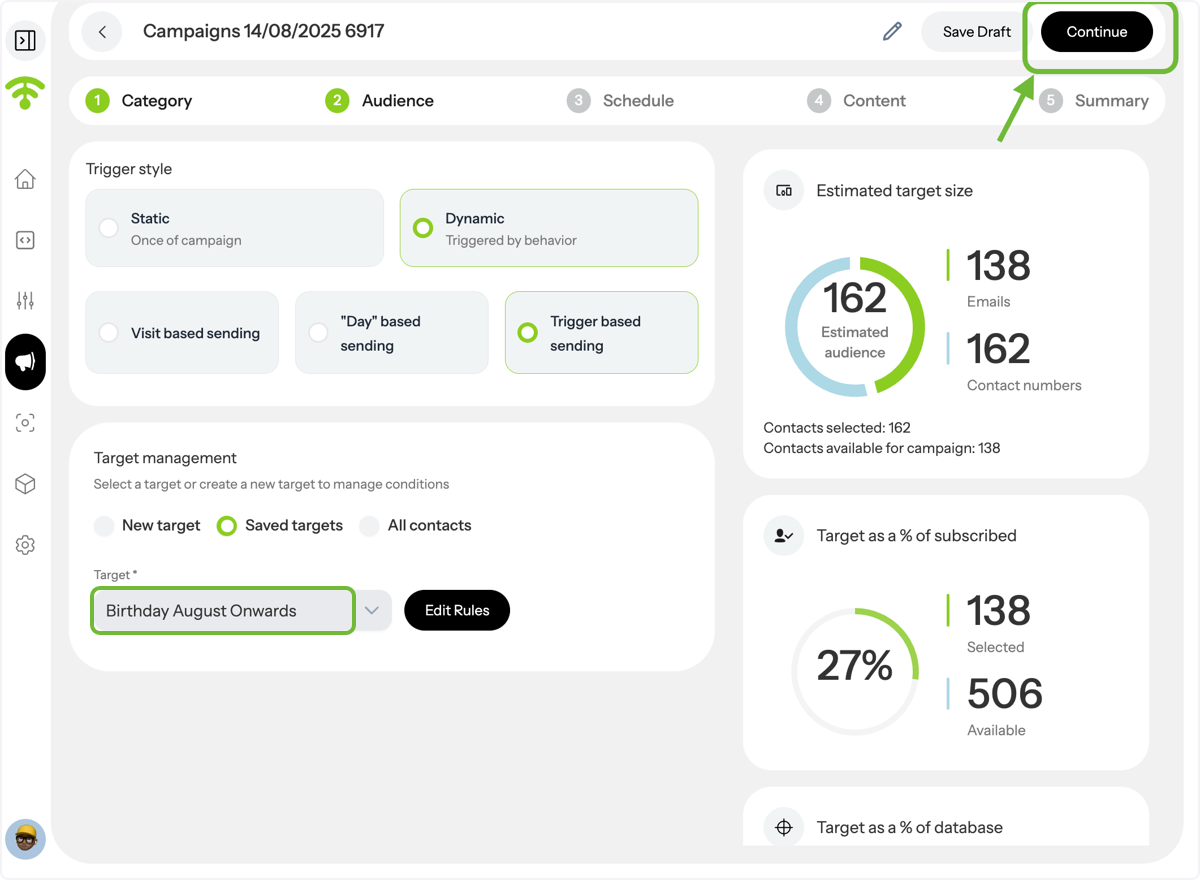
This guide walks you through creating an automated email campaign in Affinect that is triggered by your set rules.
عاطفة
Access Campaigns
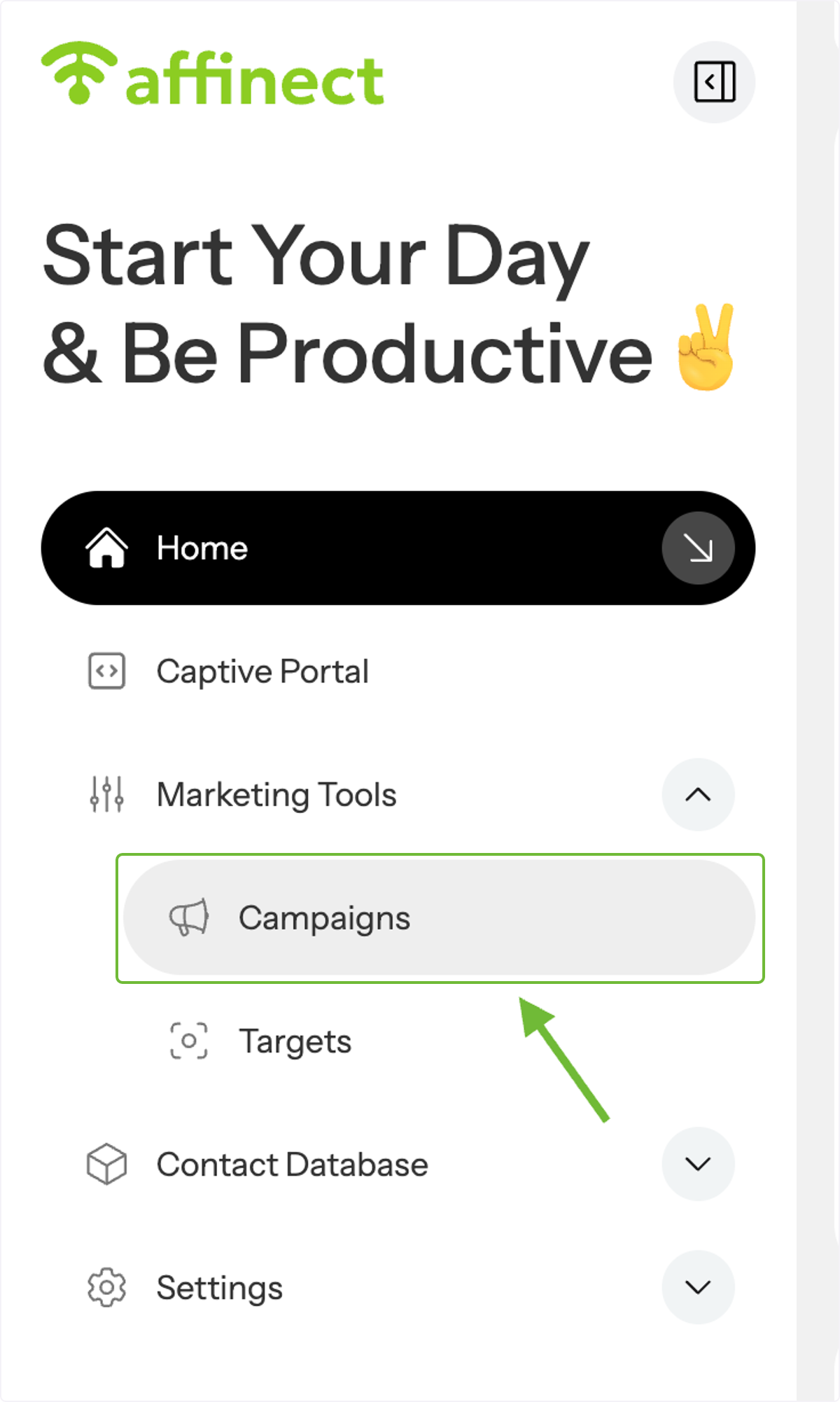
From the Marketing Tools dropdown menu, click Campaigns on the right.
View Campaign List
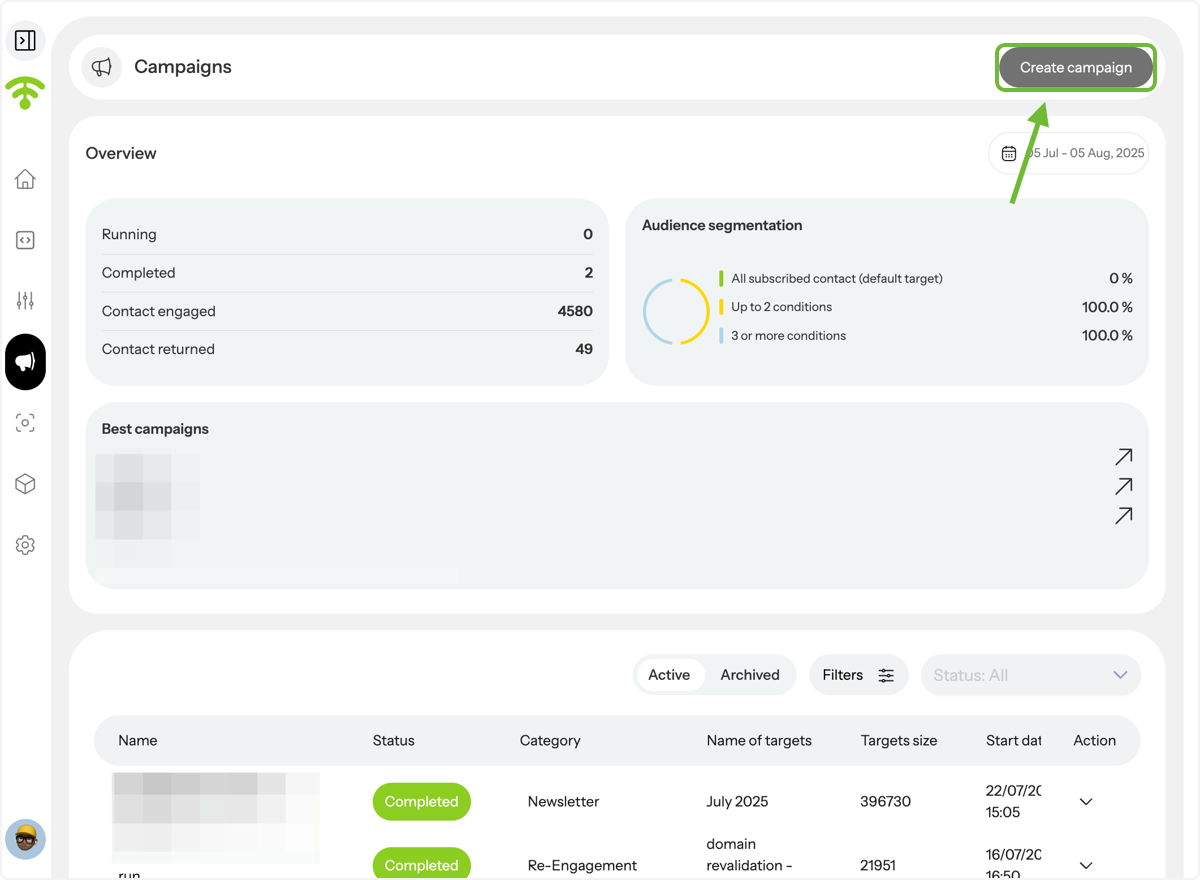
A preview of your existing campaigns will appear. Click Create Campaign.
Start a New Campaign
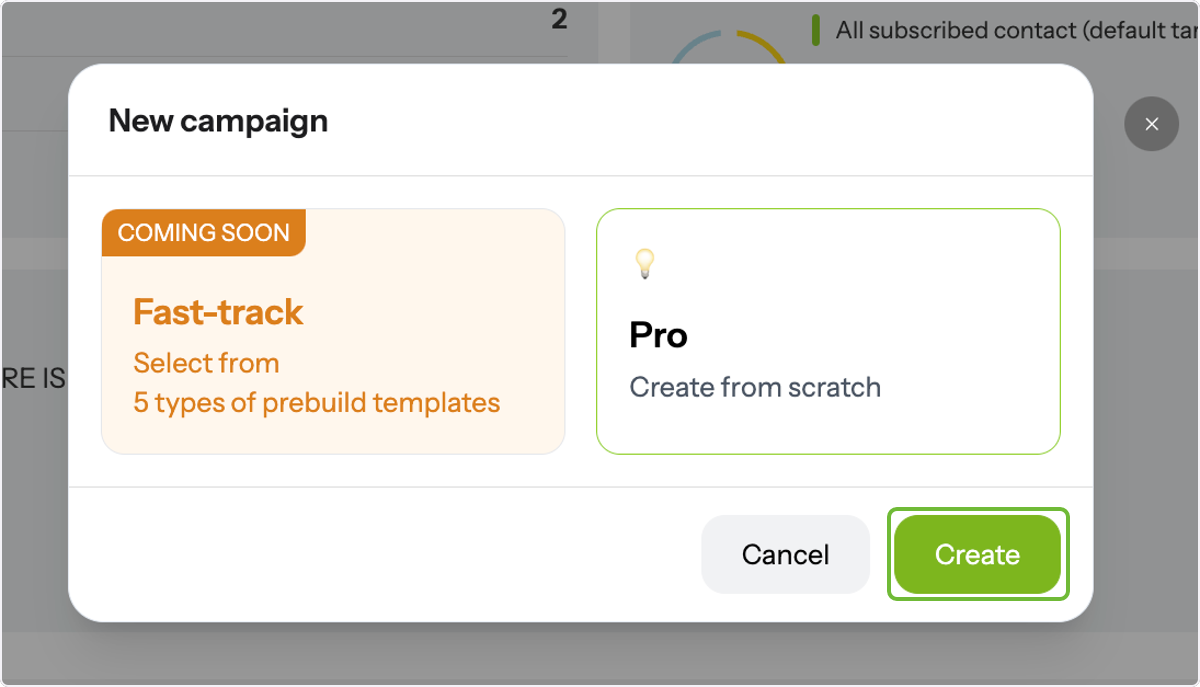
In the pop-up box, click Create.
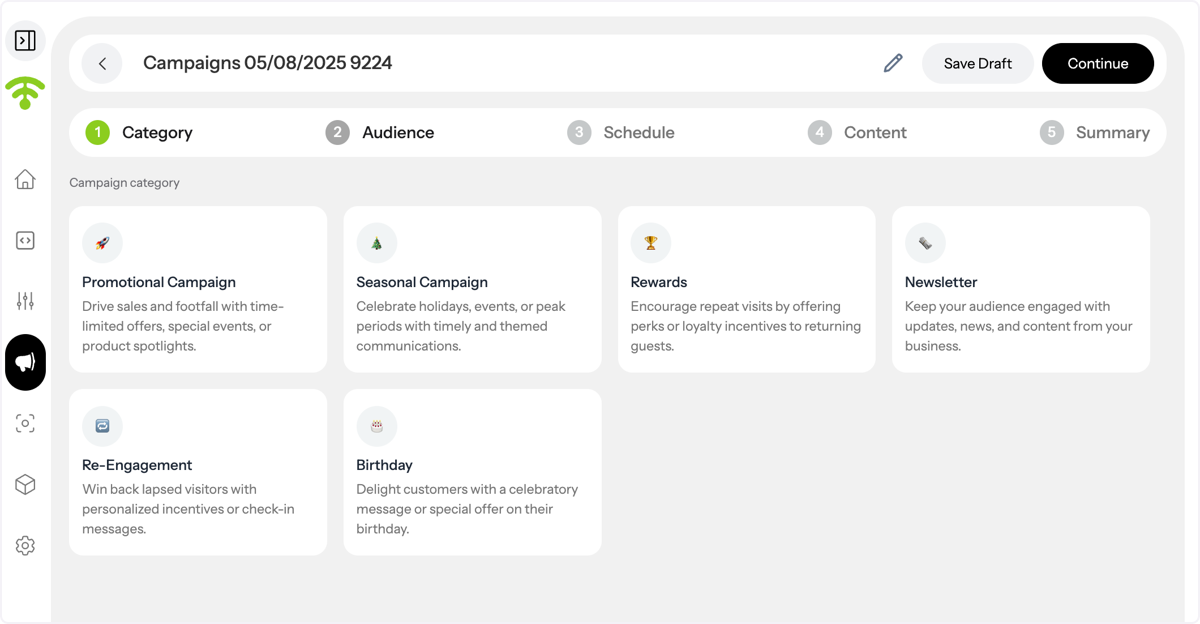
Choose Category & Audience
Select your campaign category, then proceed to the Audience section.
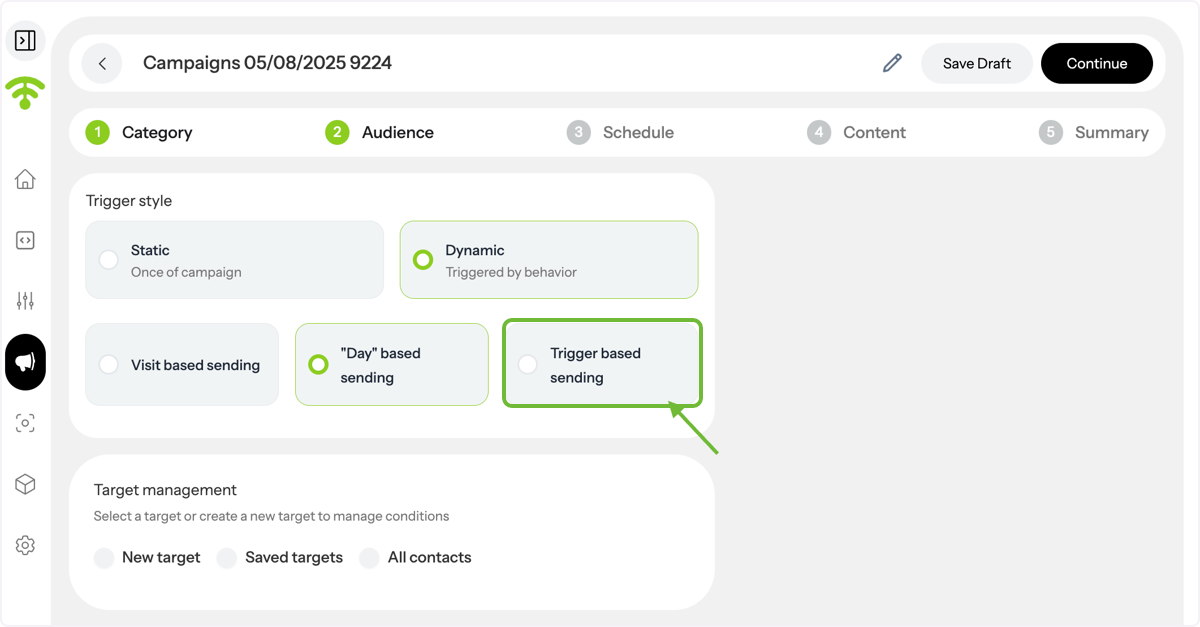
Select Dynamic Campaign Type
Click Dynamic — these campaigns are triggered by customer behavior and choose trigger based sending.
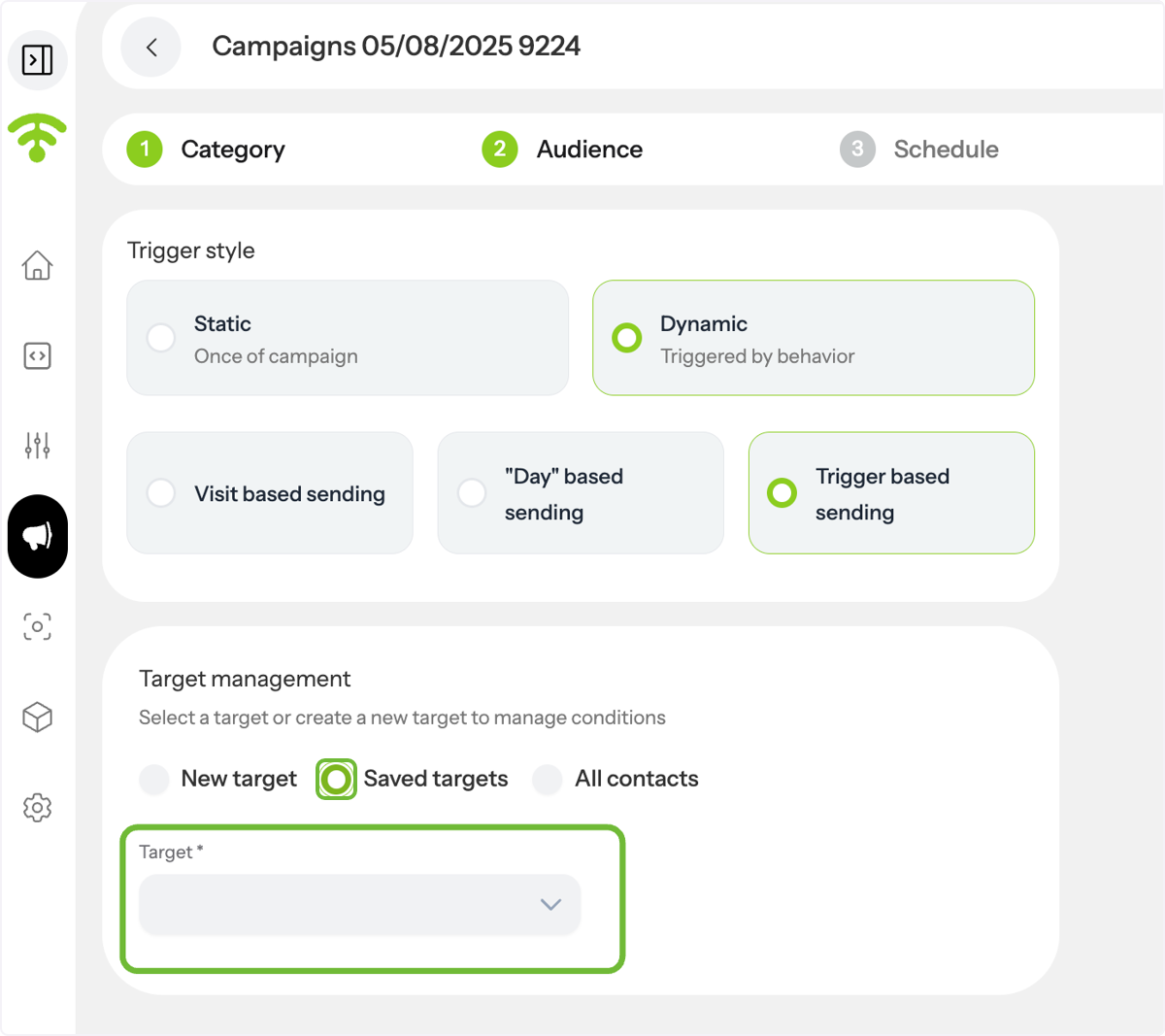
Pick or Create a Target
Either choose an existing saved target or create a new one.
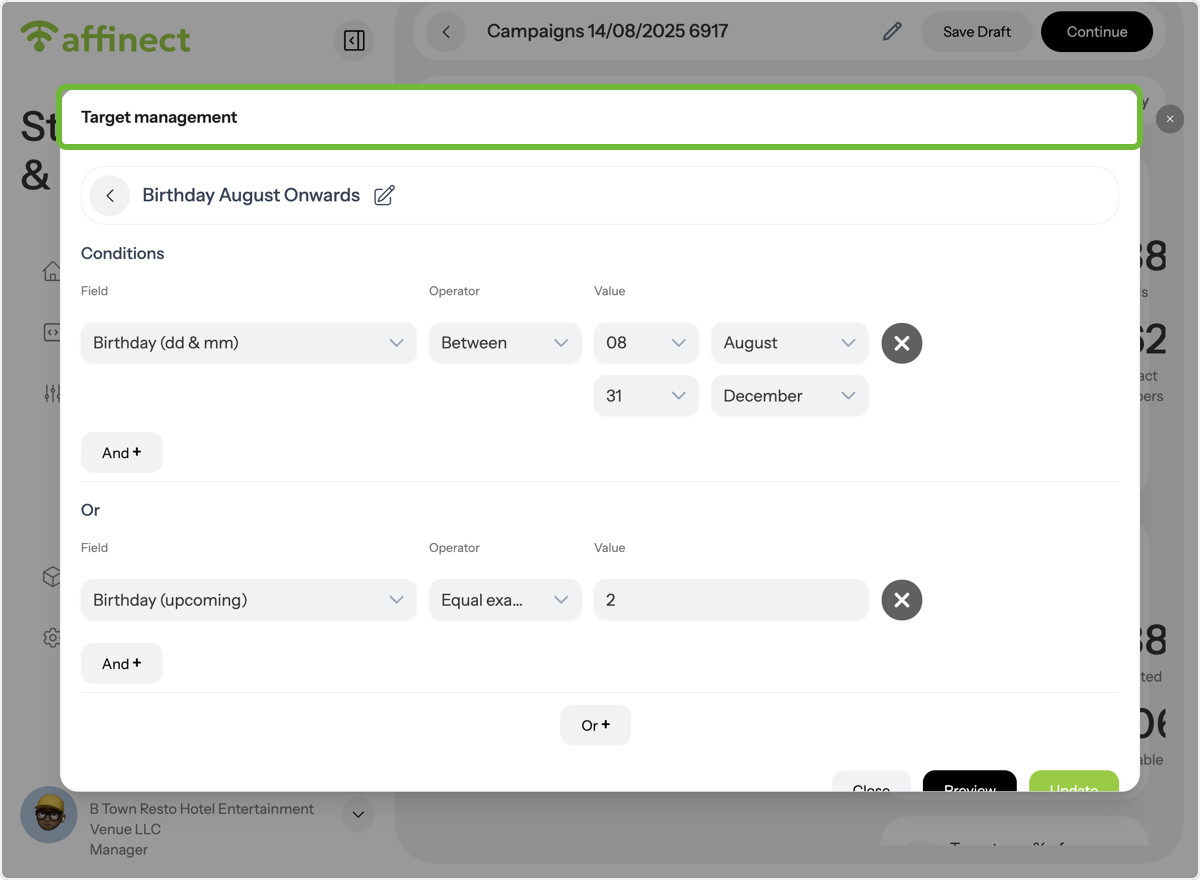
Manage your Target
Edit rules or save existing conditions for your target.
Finalize and Continue
After selecting your target, click on Continue in the upper left corner, and you are good to go!